

Self-Guided Tours
Book a time online and tour on your own schedule.
Want to see one of our apartments? You can tour on your own, at a time that works for you — no need to wait for a staff member. Schedule your showing online, and we’ll send you everything you need to get inside.
Browse our available apartments, open the listing for the unit you’d like to see, and click Schedule Showing. Enter your name, email, and phone number, then click View Available Times.
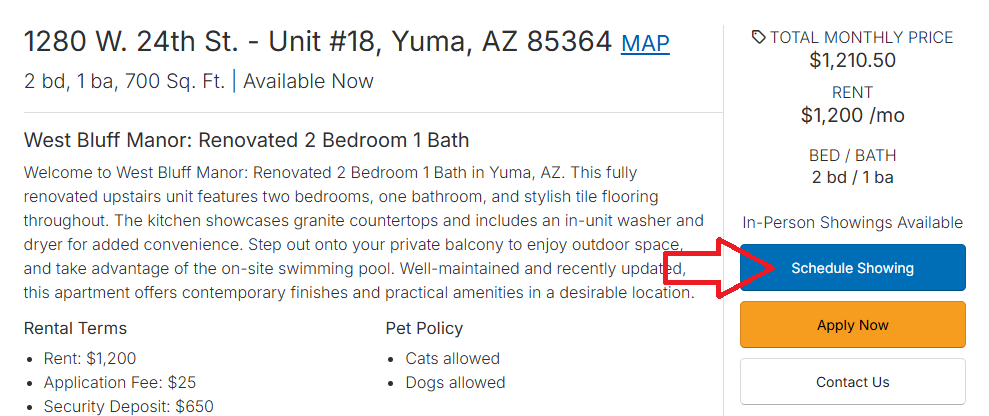
Find the Schedule Showing button on the listing.
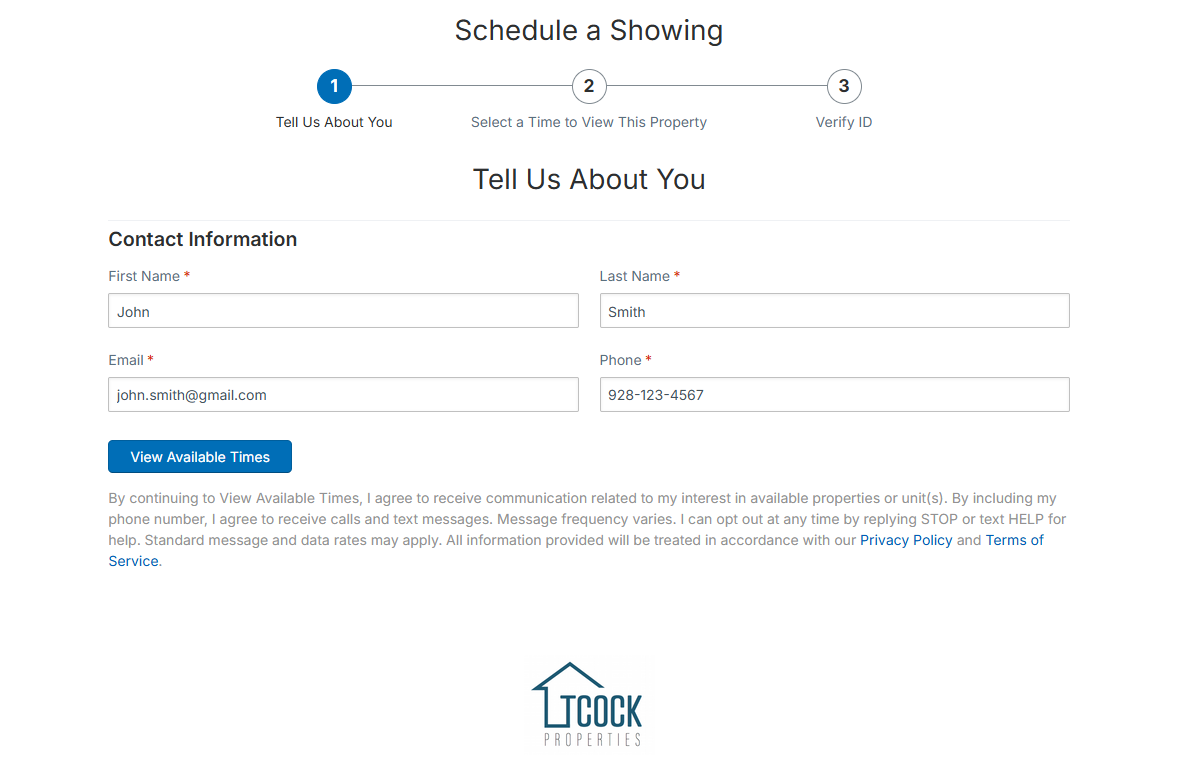
Then enter your contact information.
Choose a day and time that works for you. Check the box to agree to the terms and conditions of a self-guided showing, then click Continue.
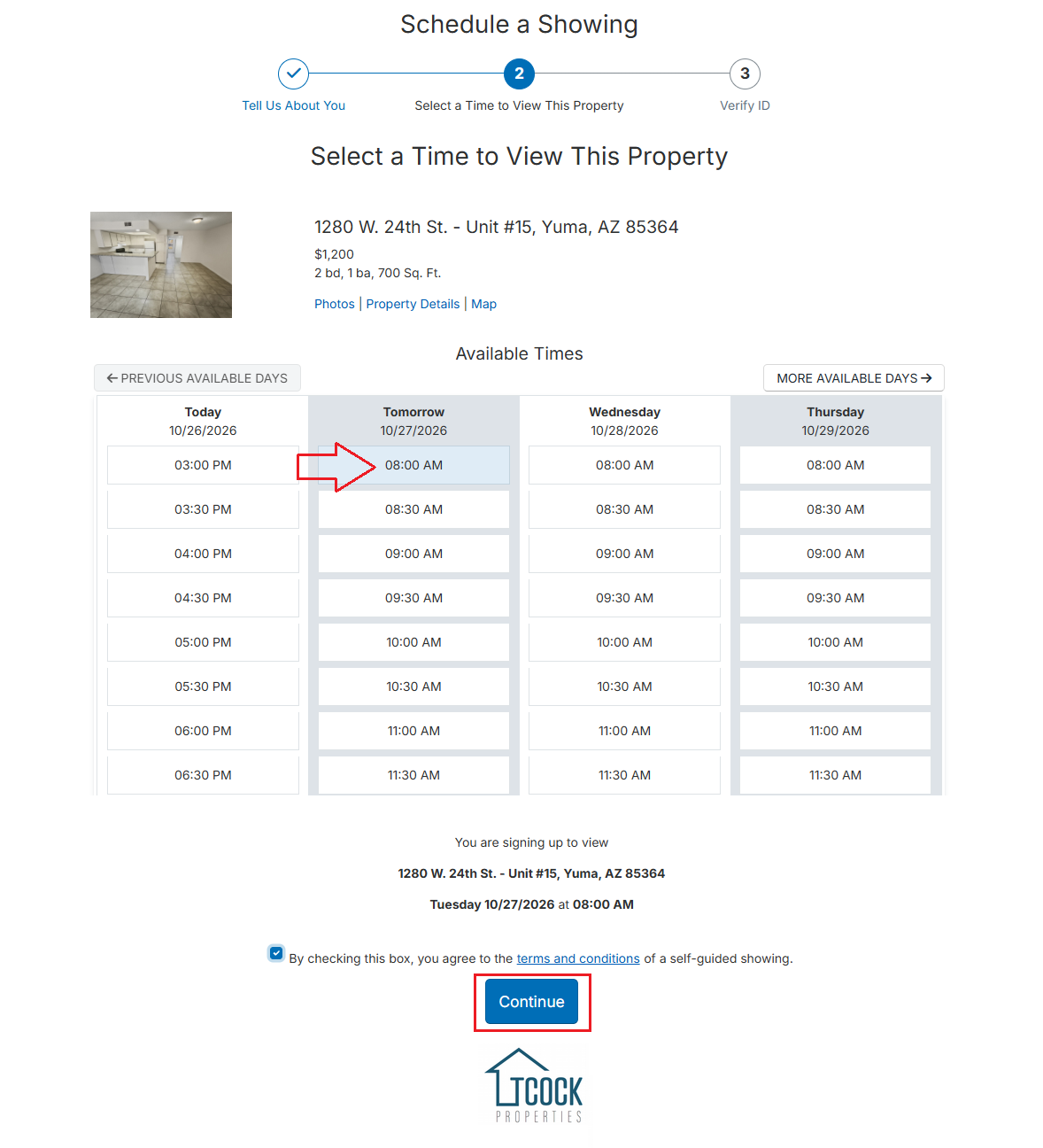
Example shown — units, prices, and available times vary.
Verify your identity with a valid government-issued photo ID.
About 2 hours before your showing, confirm that you’re coming. Once you confirm, we’ll text or email you the lockbox code.
Head to the unit, open the lockbox, and tour on your own.
What You’ll Need
- A valid government-issued photo ID for verification
- Your name, email address, and phone number
- A phone or email that can receive your lockbox code
Don’t see a self-guided option on a listing? Call or text us at (928) 923-4911 to set up an in-person showing.
Ready to take a look? Find your apartment and click Schedule Showing.
View Available Apartments